


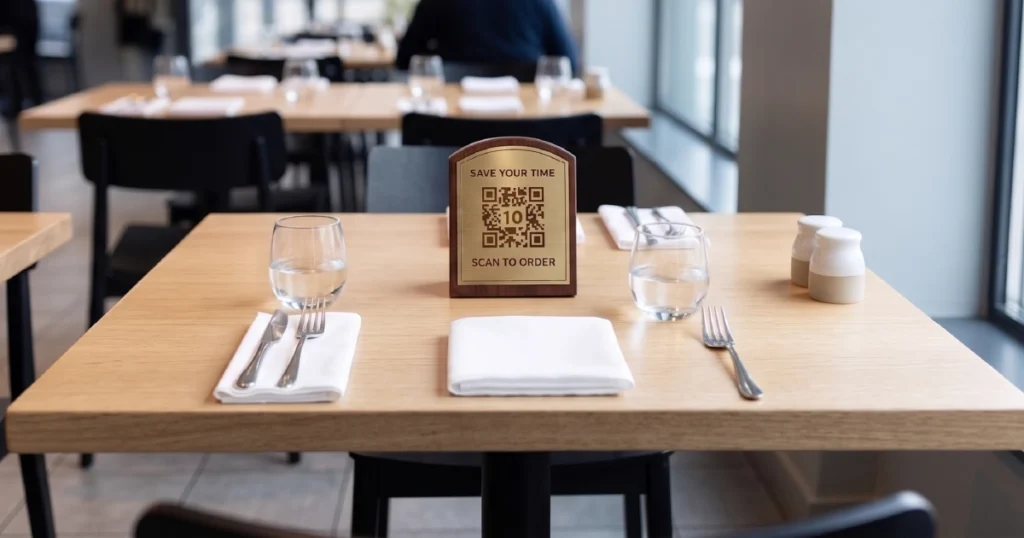

In many restaurants, service slows down not because of the kitchen, but because of how orders are taken.
As demand increases, traditional ordering processes built around staff interaction become the main bottleneck. Guests wait to place orders, queues form, and operations become harder to manage.
That is why more restaurants are turning to digital ordering systems — not as a simple add-on, but as a way to rethink how ordering works across the entire operation.
But digital ordering is not a single tool. It includes several system types, each with different strengths, limitations, and use cases.
In this guide, we’ll break down how digital ordering systems work, what options exist, and how to choose the right model for your restaurant.
What Digital Ordering Actually Means
Digital ordering is often associated with QR codes, kiosks, or tablets. But at its core, it is not just about the interface — it is about how orders are captured, processed, and move through the operation.
In traditional restaurant models, ordering is a staff-mediated, linear process. A guest waits for a staff member to take the order, enter it into the POS, and handle payment.
Digital ordering changes that model by allowing guests to browse menus, place orders, and complete payments independently.
This shifts ordering from a sequential process to a parallel one, where multiple guests can order at the same time without waiting for staff availability.
The result is more than convenience. It changes how restaurants handle demand under pressure.
The Core Types of Digital Ordering Systems
While digital ordering can take many forms, most systems fall into a few core categories. Each supports a different guest journey and service model.
QR-Based Ordering
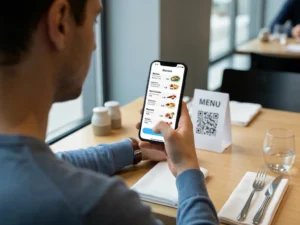
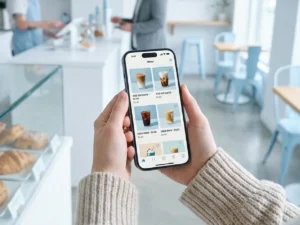
QR-based ordering allows guests to scan a code, open the menu on their own smartphone, and place orders directly from their device.
This model is widely used in casual dining, table service, and venues where guests are already seated. It requires minimal hardware, is relatively easy to deploy, and works especially well when flexibility and low operational overhead matter.
For many restaurants, QR ordering is the simplest way to introduce digital ordering without changing the physical setup of the venue. For a deeper breakdown, see what QR ordering for restaurants is and how it works.
Self-Service Kiosks
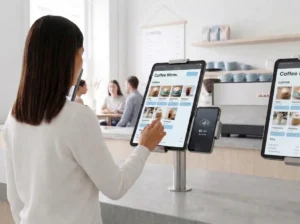
Self-service kiosks provide a fixed, on-site interface where guests can browse menus, customize items, and pay without interacting with staff.
They are commonly used in quick-service restaurants, takeaway points, food courts, and other high-traffic environments where speed and throughput are critical.
Kiosks are most effective when the goal is to process a large number of orders quickly, reduce counter pressure, and create an additional ordering point that does not depend on staff availability. You can explore this format further in our guide to self-ordering kiosks in restaurants.
Tablet Ordering
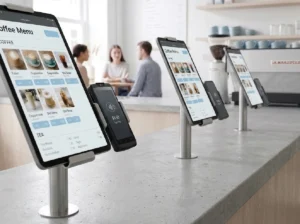
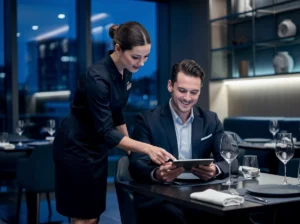
Tablet ordering systems place a dedicated ordering device directly at the table or in the guest area.
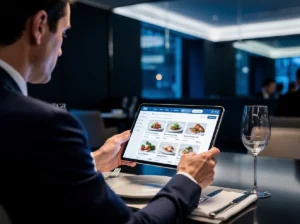
Guests can browse the menu, place orders, and reorder throughout their visit without waiting for staff. This model is often used in casual dining and in-venue service environments where restaurants want more control over the guest interface than QR ordering typically provides.
Tablet ordering also supports upselling, improves menu visibility, and makes repeat ordering more natural during the visit. For more detail, see tablet ordering in restaurants: when it works best.
When Each System Works Best
There is no single best digital ordering system for every restaurant. The right choice depends on your service model, guest behavior, traffic patterns, and operational priorities.
- Quick-service restaurants (QSR): kiosks help handle high volumes and reduce queues at the counter
- Casual dining: QR menus or tablets allow guests to order at their own pace without waiting for staff
- Food courts and takeaway: kiosks and QR ordering help distribute demand across multiple ordering points
- High-traffic venues: combining multiple systems helps prevent bottlenecks during peak hours
The key is not choosing the most fashionable format. It is choosing the system that removes friction where your operation actually slows down.
In some venues, the main issue is the queue at the counter. In others, it is the delay between seating and order-taking. The best system is the one that solves the real bottleneck — not one that adds another layer of complexity. If you are evaluating formats side by side, it may also help to read QR vs kiosk vs tablet ordering.
Why Most Restaurants Use Hybrid Models
In practice, many restaurants do not rely on a single ordering system.
Instead, they combine multiple channels to create a more flexible and scalable setup.
For example:
- QR ordering for dine-in guests
- kiosks for walk-in traffic
- staff-assisted ordering for specific situations
This hybrid approach allows restaurants to handle different types of demand at the same time without overloading a single ordering point.
It also creates a more resilient system — one that adapts better to peak hours, staffing limitations, venue layout, and changing guest behavior.
In other words, digital ordering becomes most powerful when it is treated as an operational design choice, not just a standalone tool. That is also why many operators eventually ask how to choose the right ordering system for their restaurant.
The Role of POS Integration
No matter which ordering systems you use, they all need to connect to a central operational layer.
This is where POS integration becomes critical.
When digital ordering systems are connected directly to the POS:
- orders flow automatically to the kitchen
- manual entry is eliminated
- errors are reduced
- operations become easier to manage
Without integration, digital ordering can create another disconnected workflow that staff still need to manage manually. With integration, it becomes part of a unified operating system.
That difference is what separates a digital menu from a true digital ordering solution.
From Tools to Operational Design
Digital ordering is often discussed as a set of tools — QR menus, kiosks, tablets.
But the real value comes from how those tools work together in a system that fits the way the restaurant actually operates.
Restaurants that think in terms of operational design, rather than isolated features, are better able to:
- remove ordering bottlenecks
- increase throughput without adding staff
- create more consistent guest experiences
- adapt more easily to different service formats
This is the broader shift happening across the industry.
Not toward one best technology, but toward ordering systems that make service faster, more flexible, and easier to scale.
Conclusion
Digital ordering systems are not just a response to changing technology. They reflect the operational limits of traditional ordering models.
As restaurants grow and demand becomes less predictable, staff-mediated ordering processes struggle to keep up.
By introducing parallel ordering channels, restaurants can reduce queues, improve service flow, and build a more scalable operation.
At their best, digital ordering systems do more than digitize the menu. They reshape how demand moves through the business.
Want to see how different ordering systems work together in a single platform?
Explore how digital ordering solutions connect QR menus, kiosks, and tablets into one POS-integrated system.


