


QR Kiosk
for Takeaway
Let guests scan, order, and pay at pickup or service points using their own phones — reducing queues and accelerating takeaway operations
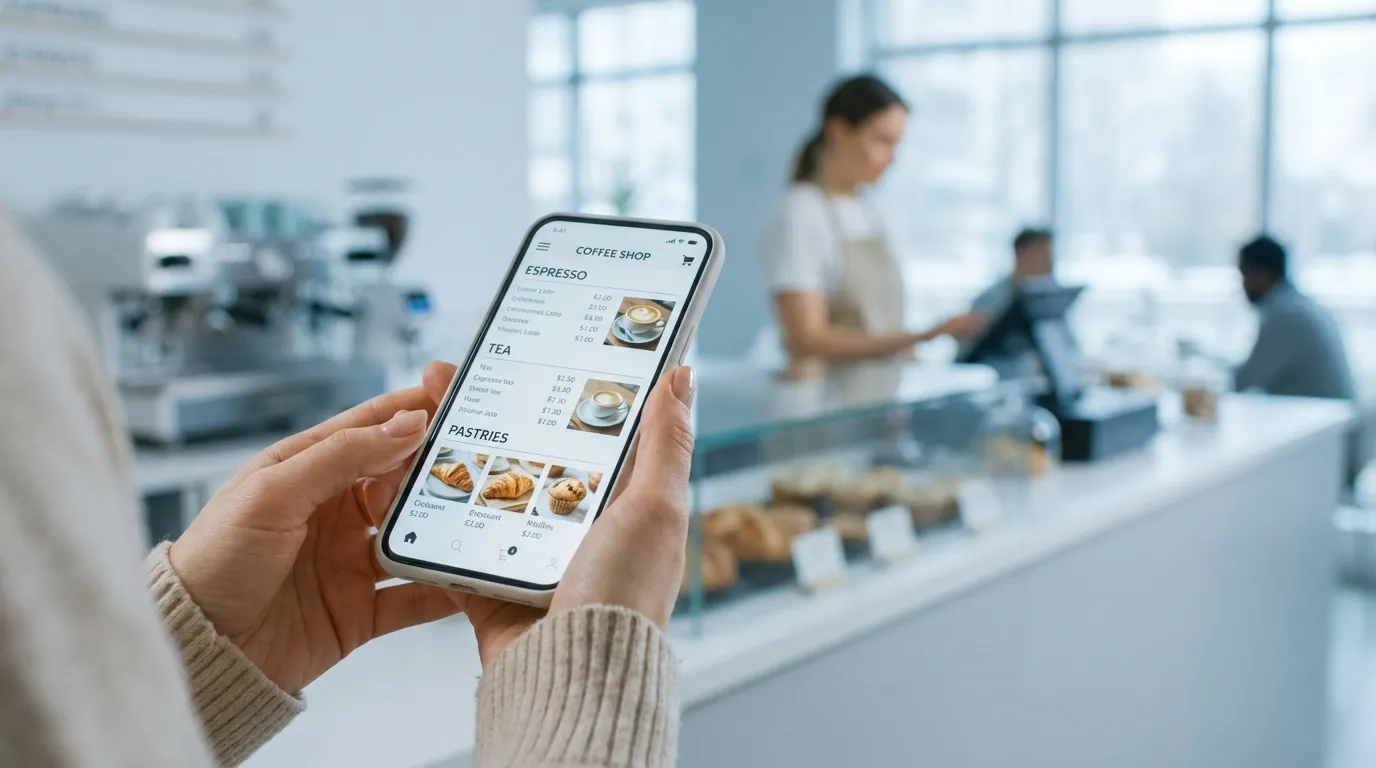
Turn counters into self-service stations with instant POS routing and seamless payment flows.
Contactless Ordering
at Service Points
From scan to payment in moments — a smoother takeaway experience for guests and staff

Scan QR
Guests scan a kiosk-specific QR code. The menu opens instantly in their browser — no app, no login.

Order & Pay
They choose items, add notes, and pay instantly. Orders are automatically routed to the right pickup point, POS flow, and printer/KDS.

Pick Up & Enjoy
Guests get notified when the order is ready and pick it up — no queues, no confusion.
When QR Kiosk Is the Best Fit
- High-volume takeaway and QSR
- Food courts and multi-station venues
- Bars and quick-service counters
- Outdoor or seasonal service points
- Venues minimizing hardware investment
- Guests comfortable ordering on their phones
Faster Service.
Smoother Operations.
Serve More Guests
Handle more orders during peak hours — without adding extra staff.
Reduce Ordering Mistakes
Guests place orders themselves — fewer misheard items and manual entry errors.
Lighten Staff Workload
Free your team from repetitive order taking so they can focus on pickup, prep, and hospitality.

Speed Up Service.
Reduce Staff Load.
Guests order on their own, while orders go straight to your POS and stations — faster service, fewer mistakes, less pressure on staff.
- No apps. No queues. No stress.
- All ordering channels. One POS-connected system.
- No third-party dependency.
Reliable. Secure.
Built for Busy Venues.
Designed for busy, high-traffic restaurant environments, Gravy runs in a secure browser-based flow and integrates directly with your POS to keep operations stable during peak hours.
- Secure payments and guest data protection.
- Works seamlessly with your POS and printers.
- Reliable during peak hours — designed for high-traffic ordering environments

Operational Highlights
Station-Based QR & Smart Routing
Each QR links to a specific pickup point, with automatic POS and printer/KDS routing.
Dedicated Takeaway Setup
Configure menus and pricing separately from dine-in operations.
Real-Time Menu & Availability Sync
Updates apply instantly across all service points.
Secure Browser-Based Flow
No app install, no guest accounts, PCI-compliant payments.
What Restaurants Say About Gravy
Real voices from businesses who use Gravy to serve faster and sell more

Gravy is simple and efficient: guests place their orders, payments go through in one click, orders appear instantly in our POS, and kitchen tickets are printed automatically. Everything flows smoothly and accurately, even during busy hours. On top of that, the support is warm, patient, and truly reliable. The digital menus made daily operations easier for our team — and our guests genuinely enjoy the experience.

Since launching Gravy at Ponch, we’ve reduced printing costs and completely eliminated the need for physical menus. Takeaway orders flow faster, queues are shorter, and peak hours feel much more manageable. Orders go straight into our POS and to the kitchen, keeping everything smooth and accurate. Most importantly, we’re serving more guests in less time — without adding more staff.

Thanks to Gravy’s digital menu, we completely took the stress of table and takeaway ordering off our minds. Guests order and pay directly from their phones, orders are instantly registered in our POS, and the workflow runs smoothly without extra staff handling every table or counter. We significantly reduced waiter costs, since the team no longer needs to focus on taking orders. And there’s no even need for a physical kiosk — every phone becomes a mobile kiosk. 😉

Gravy is simply wow — a professional, precise, and incredibly convenient solution. Since switching to the digital menu, everything flows more smoothly for both our team and our guests. Service is faster, there’s less pressure on staff, and the number of orders has increased. Thank you for the close support, patience, and quick, efficient assistance at every step.
The Essentials That Matter
Direct to POS
Orders fire straight to your POS, KDS, or printer(s) — no extra steps.

Accurate & Fully Routed
Orders are automatically routed to the correct service point / pickup station / printer/KDS — no manual sorting, no confusion.
Instant Updates
Change texts, prices, photos, specials, or availability in seconds.
Shorter Queues.
More Orders.
Fully On-Brand
Match your venue’s look & feel, with menus in any language or currency.
Why Gravy?
Clear pricing, fast setup, modern tech, and real support — everything other systems aren’t.
GRAVY
- No hidden fees or surprises
- Live in days, not months
- On-brand UI across channels
- Separate dine-in & takeaway
- Real, seamless integrations
- Always-on, real human support
- Built for high-performance service
OTHERS
- Complicated fee structure
- Endless setup and delays
- One-size-fits-all interface
- One channel for all orders
- Delayed or incomplete integrations
- Unresponsive support teams
- Weak POS routing & workflows
Works with the Tools You Trust
Gravy integrates with leading POS, payment, and messaging providers.
Availability may vary by region and POS version.










Launch in Three Simple Steps
Get your digital on-site ordering live in days.
No coding, no complex setup — just a smooth start.
1
Book a Demo
We’ll review your service flow and recommend the right setup for your venue.
2
Setup & Integration
We import your menu and apply your branding. Then we connect POS, payments, and devices.
3
Go Live
Launch your ordering setup and start taking live orders immediately.
FAQ

Not Sure If QR
Is Right for You?
QR Kiosk works best when guests use their own phones to order at service points.
If you prefer a fixed, device-based self-ordering station with a dedicated screen, explore our Tablet Kiosk solution

Ready to Upgrade Your Takeaway?
We’ll show you how QR ordering works with your POS and service flow — in real time.
Take QR Kiosk
Even Further
Extend QR Kiosk with other Gravy tools to connect dine-in, takeaway, and hybrid service — all managed from one platform
Tablet Kiosk
Takeaway
Use with Tablet Kiosk for larger venues with dedicated devices.
Perfect for busy venues with high order volume.

QR Menu
Table Service
Combine with QR Menu for a complete dine-in + takeaway solution.
Let guests use their phones to order in seconds.

Tablet Menu
Table Service
Pair with in-venue tablet menus for guests to browse and order.
Faster service and upselling with every order.
