


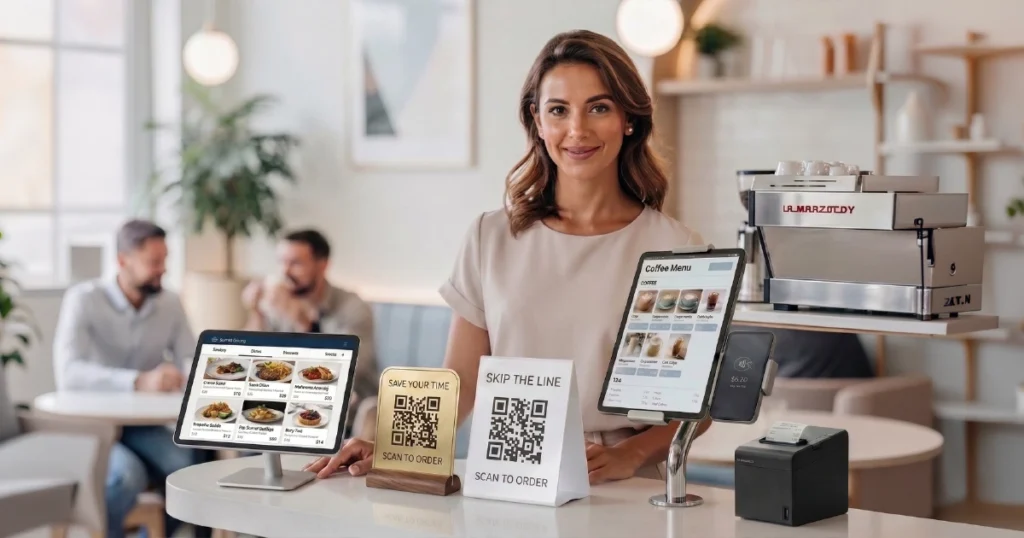

Restaurants do not manage orders in isolation. They manage a continuous flow of demand, where every interaction — from browsing to payment — affects revenue, speed, and operational efficiency.
That makes ordering more than a functional step. It becomes one of the core systems shaping how the business performs.
In practice, however, many restaurants still rely on fragmented tools — one system for menus, another for ordering, a separate provider for payments, and only partial integration with the POS.
Instead of simplifying operations, this adds complexity and limits the value these tools should create.
This is where a digital ordering system comes in. It brings the entire ordering flow into a single, consistent process. For a broader breakdown of formats and use cases, see our guide to digital ordering systems for restaurants.
What Is a Digital Ordering System for Restaurants
A digital ordering system is a connected environment that allows guests to browse, order, and pay while synchronizing those actions with the restaurant’s operations.
It sits between the guest experience and the operational backend, ensuring that every order moves consistently from selection to execution.
Unlike standalone tools, it is not limited to a single interface. It can work across multiple formats, including mobile devices, QR-based access, tablets, kiosks, and web-based ordering flows. You can also compare these formats in QR vs kiosk vs tablet ordering.
The key idea is not the interface itself, but the connection between every part of the process.
What a Digital Ordering System Includes
A digital ordering system includes several interconnected components that together form a unified workflow.
Each component plays a different role, but the real value comes from how they work together.
Menu layer
The digital menu defines what guests see and how they navigate the offering. It includes categories, modifiers, item descriptions, and real-time availability.
Ordering interface
This is how guests interact with the system. It can include QR-based ordering at the table, tablet interfaces, self-service kiosks, or web-based ordering for takeaway and delivery.
Payment layer
Integrated payments allow guests to complete transactions directly within the ordering flow, without switching systems or waiting for manual processing.
POS integration
The system sends orders directly into the restaurant’s POS system, removing the need for manual entry and reducing the risk of errors.
Operational logic
The system manages how orders are routed, timed, and processed, ensuring consistency across the entire workflow.
Individually, these components can exist as separate tools. But when they are connected, they form a system that works as a single, coordinated layer.
The Problem with Fragmented Tools
Many restaurants adopt digital solutions incrementally. They introduce a digital menu, add an ordering tool, connect a payment provider, and integrate with a POS system — often using different vendors.
While each tool may work on its own, the overall setup becomes fragmented.
This creates several challenges. Data is duplicated across systems, workflows become inconsistent, staff have to manage multiple interfaces, and maintaining or updating the setup becomes more complex than expected.
In these environments, digital tools do not fully deliver on their promise. Improvements in one part of the process are often offset by inefficiencies in another.
In practice, fragmentation reduces the very efficiency these tools are supposed to create.
That is why the shift from individual tools to integrated systems matters. It is also why many operators eventually ask how to choose the right ordering system for their restaurant.
How a Digital Ordering System Works in Practice
A guest scans a QR code, opens a tablet interface, or accesses the ordering system through their own device. They browse the menu, explore categories, and select items with relevant modifiers. Depending on the setup, this may look like QR ordering, tablet ordering, or self-service kiosk ordering.
The system can guide the process by presenting add-ons, upgrades, or combinations in a consistent way.
Once the order is placed and paid, the system sends it directly to the POS and kitchen, without manual re-entry or interpretation.
For guests, the experience feels smooth and intuitive. For the restaurant, the process becomes more structured and predictable.
The key difference is that the entire flow works within a single system, rather than across disconnected tools.
How Integrated Systems Improve Restaurant Performance
The real value comes from improving the entire ordering flow — not just digitizing a single step.
Speed
Guests can browse and order faster, reducing waiting time and improving table turnover or throughput during peak periods.
Consistency
The system applies the same logic to every order, reducing mistakes and ensuring that modifiers, add-ons, and selections are captured correctly.
Revenue
Structured upselling and better item visibility increase the likelihood that guests discover higher-margin items and add extras.
Operational efficiency
Staff spend less time on repetitive explanations and manual processes, allowing them to focus on service and execution.
Because these improvements happen at the same time, their combined effect is often greater than the impact of any single tool or isolated process change.
Where Digital Ordering Systems Create the Most Value
Digital ordering systems can be valuable across many types of restaurants, but their impact is strongest in environments with higher complexity or demand.
- high-traffic restaurants with peak-hour congestion
- menus with many items, modifiers, or combinations
- operations where upselling is inconsistent
- venues where guests experience delays in browsing or ordering
- takeaway-heavy or multi-channel service models
- restaurants that need tighter coordination between ordering and operations
In these situations, even small improvements in speed, clarity, and consistency can have a measurable impact on performance.
Digital Ordering Systems vs Standalone Solutions
The difference between standalone tools and integrated systems is not just technical. It directly affects how the restaurant operates.
Standalone tools typically rely on separate vendors, manual handoffs, and loosely connected workflows. This can lead to inconsistencies in both the guest experience and internal operations.
In contrast, an integrated digital ordering system creates a unified environment where all components work together. If you want to see how this affects decision-making in practice, see how to choose the right ordering system for your restaurant.
Orders move through a consistent flow, data remains aligned across systems, and both guests and staff interact with a more predictable and efficient process.
The goal is not to use more tools, but to create a system where those tools function as a single unit.
Conclusion
Ordering is not just one step in the restaurant journey. It is the layer that connects guest decisions with operational execution.
A digital ordering system brings structure to that layer, reducing friction, improving consistency, and creating more opportunities to generate value from existing demand.
The real impact does not come from individual features. It comes from turning ordering into a connected system that works for both guests and operations.
Want to see how a connected digital ordering system works in real restaurant environments?
Explore how QR ordering, kiosks, and POS-integrated workflows can improve speed, consistency, and revenue.


