


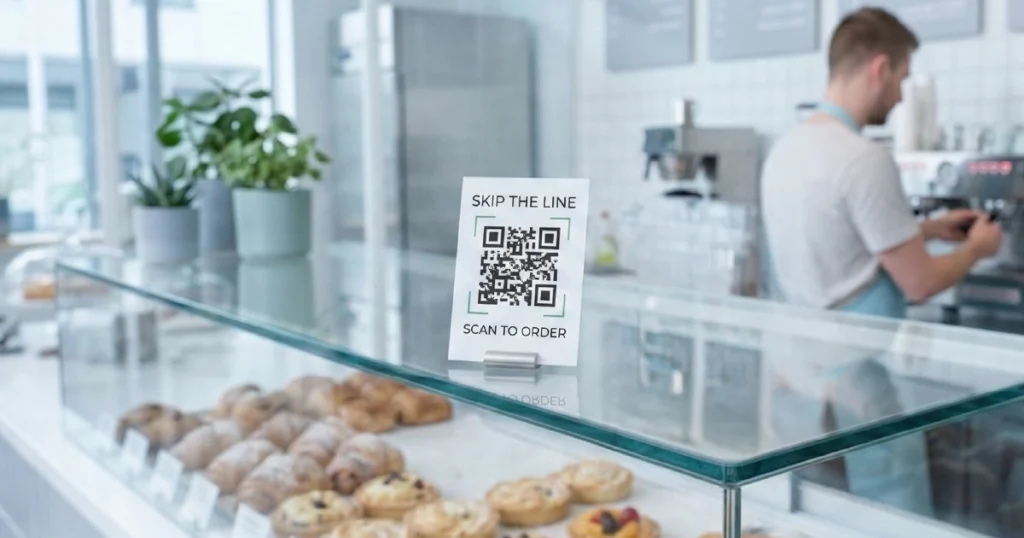

Restaurants trying to improve service speed, reduce staff workload, and increase revenue often face the same question: should they use QR ordering or install self-service kiosks?
Both options are designed to remove friction from how guests place orders. But they do it in very different ways — and that difference has a real impact on operations, guest experience, and overall performance.
For this reason, many restaurant operators compare QR ordering and self-service kiosks before deciding which solution fits their business.
To choose the right solution, it is important to understand not just how each system works, but how it performs in real restaurant environments and how it fits into a broader digital ordering system. If you want a wider format-level comparison, see QR vs kiosk vs tablet ordering.
What Is the Difference Between QR and Self-Service Kiosk Ordering
Both QR and kiosk ordering digitize the ordering process, but they differ in how guests access and interact with the system.
QR ordering
Guests scan a QR code using their smartphone, open a digital menu, and place an order directly from their own device. This approach removes the need for restaurant-owned hardware and allows for rapid rollout.
Self-service kiosk ordering
Guests use a self-service kiosk — a dedicated touchscreen device installed in the venue. The kiosk provides a controlled interface for browsing, ordering, and paying without staff assistance.
In simple terms, QR ordering prioritizes flexibility, while kiosks give restaurants tighter control over the guest journey. You can also see where QR fits more broadly in our guide to QR ordering for restaurants.
How QR and Kiosk Ordering Work in Practice
The differences become even clearer when looking at the guest journey step by step.
QR ordering flow
- Guest scans a QR code at the table or ordering point
- The menu opens instantly in the browser
- The guest browses, customizes, and places an order
- Payment is completed on the guest’s device
This model is explained in more detail in our guide to QR ordering for restaurants.
Kiosk ordering flow
- Guest approaches a kiosk in the venue
- Browses the menu on a large touchscreen
- Selects items, modifiers, and add-ons
- Pays directly at the kiosk
For a deeper breakdown, see our guide to self-ordering kiosks in restaurants.
In practice, these differences influence how quickly guests start ordering, how consistent the experience feels, and how effectively restaurants can encourage upselling.
QR vs Kiosk Ordering: Key Differences
Before comparing details, here is a quick summary:
- QR ordering = flexible, scalable, and low-cost
- Kiosk ordering = controlled and optimized for high-volume ordering
| Factor | QR Ordering | Self-Service Kiosk |
|---|---|---|
| Hardware required | None (guest device) | Dedicated kiosk devices |
| Setup cost | Low | Medium to high |
| Deployment speed | Very fast | Slower due to hardware setup |
| Guest entry point | Scan and use own phone | Walk to venue device |
| Control over UX | Limited | High |
| Upsell potential | Medium | High |
| Consistency | Variable depending on guest device | High and fully controlled |
| Scalability | Very high | Limited by hardware count |
| Best fit | Flexible dine-in and casual environments | QSR and high-throughput operations |
| Best for | Low-cost rollout, dine-in flexibility | High-volume ordering, controlled upselling |
In simple terms, QR ordering gives restaurants more flexibility, while kiosks give them more control over the guest journey. If you are deciding between broader setup options, see how to choose the right ordering system for your restaurant.
QR vs Kiosk Ordering Cost
Cost is one of the biggest practical differences between the two systems.
QR ordering usually requires little to no upfront hardware investment. Restaurants can roll it out quickly using table QR codes and guest smartphones, which makes it a lower-risk starting point for many venues.
Self-service kiosks require a higher initial investment because they depend on physical devices, setup, and space allocation. However, in high-volume environments, that additional investment can be justified by stronger upselling, more consistent ordering behavior, and reduced staff pressure.
In other words, QR ordering is usually cheaper to launch, while kiosks may deliver stronger returns in the right operational model.
Pros and Cons of QR Ordering
Pros
- Minimal setup cost with no hardware requirements
- Fast rollout across multiple locations
- Easy to scale without operational bottlenecks
- Works well in dynamic, flexible, and outdoor environments
Cons
- Depends on guest willingness to scan and use a phone
- Offers less control over the interface and ordering behavior
- Performance may vary depending on device quality and connectivity
Pros and Cons of Self-Service Kiosk
Pros
- Full control over the ordering experience and flow
- Strong upselling capabilities
- Consistent performance regardless of guest device
- Reduces staff workload in high-volume settings
Cons
- Requires upfront hardware investment
- Needs physical space in the venue
- Throughput depends on the number of installed devices
When QR Ordering Works Better
QR ordering is best suited for restaurants where flexibility and scalability matter most.
- casual dining restaurants with table service
- outdoor seating areas and terraces
- venues with changing layouts or seasonal demand
- multi-location businesses that need fast rollout
It allows restaurants to digitize ordering without redesigning the physical environment. For a direct comparison with another dine-in format, see QR ordering vs tablet ordering.
When Kiosk Ordering Works Better
Kiosks are more effective in structured, high-throughput environments.
- quick-service restaurants (QSR)
- food courts and mall locations
- takeaway-focused venues
- operations with intense peak-hour traffic
Kiosks are especially strong where speed, consistency, and upselling are operational priorities. For a deeper operational view, see our guide to self-ordering kiosks in restaurants.
Revenue Impact: QR vs Kiosk
Both systems can increase revenue, but they typically do so in different ways.
QR ordering impact
- can increase order volume by reducing wait time
- can improve table turnover during busy periods
- can encourage more frequent guest ordering
Kiosk ordering impact
- can increase average check through structured upselling
- can reduce missed or abandoned orders
- can improve order accuracy and consistency
In practice, QR ordering often helps drive throughput and convenience, while kiosks often do a better job of increasing average order value.
Can You Use QR Ordering and Kiosks Together
Rather than replacing each other, QR ordering and self-service kiosks often complement one another.
Many restaurants combine both as part of a unified digital ordering system.
- QR ordering handles table service, dine-in convenience, and overflow demand
- kiosks handle high-volume and takeaway-focused ordering
When connected through POS integration, they create a more flexible and efficient ordering ecosystem.
How to Choose Between QR Ordering and Kiosk
The right choice depends on your operating model, not on which system sounds better in theory.
- type of service (QSR vs dine-in)
- guest volume and peak-hour patterns
- available space for hardware
- budget and rollout constraints
- importance of upselling and UX control
Instead of asking which system is better in general, the more useful question is which system fits your restaurant best. For a more decision-focused framework, see how to choose the right ordering system for your restaurant.
Conclusion
QR ordering and self-service kiosk both improve how restaurants handle orders, but they solve the problem in different ways.
QR ordering offers strong flexibility, fast deployment, and low entry cost, while kiosks provide more control, better consistency, and stronger upselling opportunities.
For many restaurants, the strongest solution is not choosing between QR ordering and kiosks, but combining both into a single POS-connected ordering ecosystem that supports different guest journeys.
Want to see how QRs and kiosks can work together in one system?
Explore how Gravy combines QR ordering and self-service kiosks in one POS-connected platform to improve speed, consistency, and revenue.


