



Walk into a busy restaurant during peak hours, and everything can look under control — until you look closer.
Orders are coming in from different channels. Staff are re-entering tickets. Kitchen screens update late. Guests are still waiting, even though the venue looks busy and fully staffed.
On the surface, the problem looks like volume. But in many restaurants, the real issue is not demand itself — it is the disconnect between the ordering channels and the POS.
Digital ordering only works properly when everything behind it is connected. And that connection starts with POS integration.
What POS Integration Actually Means in Restaurant Operations
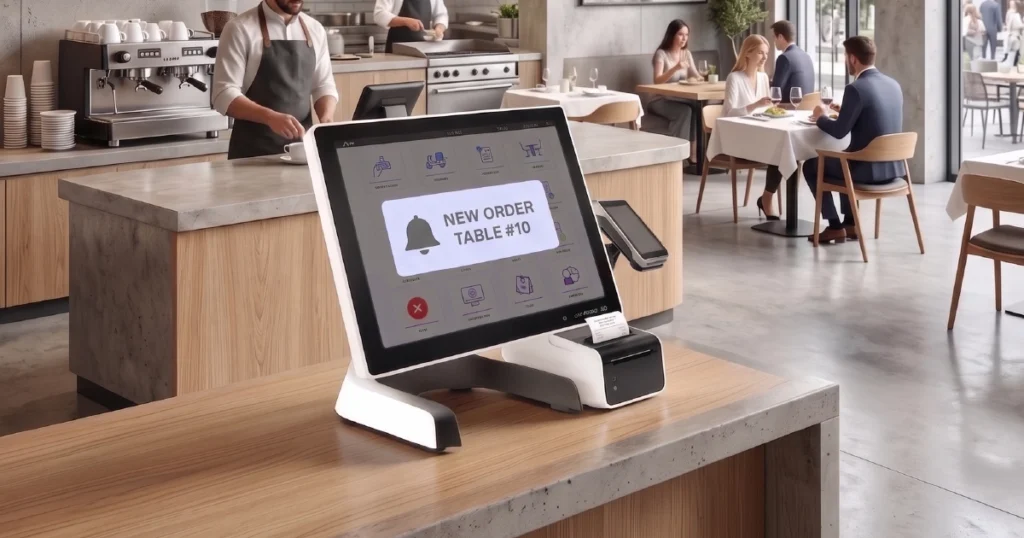
POS integration means that every order — regardless of where it comes from — flows directly into the same system without manual input.
Whether a guest orders:
- at the counter
- through a self-ordering kiosk
- via a QR menu
- or from a tablet ordering system
the order is processed, sent to the kitchen, and recorded in the POS automatically.
In practical terms, this means the restaurant stops juggling separate tools and starts running one connected flow across every ordering channel.
What Happens Without POS Integration
When ordering systems are not connected to the POS, restaurants usually end up relying on workarounds.
Staff often have to:
- re-enter orders manually
- switch between devices
- double-check tickets
- resolve inconsistencies between systems
The result is usually the same set of problems.
Delays
Orders take longer to reach the kitchen because they pass through extra steps that should not exist in the first place.
Errors
Modifiers get missed, items are entered incorrectly, or tickets do not match what the guest actually selected.
Staff Overload
Employees spend time on repetitive order handling instead of preparation, service, or guest support.
Inconsistent Data
Sales, items, and channel activity are spread across disconnected tools, which makes reporting harder to trust and harder to use for decisions.
What looks like a staffing problem is often a systems problem.
Why Digital Ordering Depends on POS Integration
Digital ordering channels — such as self-ordering kiosks, QR menus, and tablet menus — are supposed to increase speed and flexibility.
But without POS integration, they do not really scale. The pressure does not disappear — it just moves behind the scenes.
With proper integration:
- multiple guests can order at the same time
- orders flow directly into the kitchen
- manual re-entry is removed
- the same operational rules apply across all channels
This is what allows restaurants to actually increase throughput, not just add more ordering options.
Without POS integration, digital ordering simply adds more channels to manage. With POS integration, those channels start working as one system.
Key Benefits of POS-Integrated Ordering Systems
Faster Order Processing
Orders move instantly from the guest interface to the kitchen, without extra handling, duplicate steps, or avoidable delays.
Improved Order Accuracy
Guests enter their own selections, and the system processes them exactly as submitted, reducing missed modifiers and manual mistakes.
Reduced Staff Workload
Staff can focus on service, pickup, and food preparation instead of repetitive order entry and cross-checking.
More Reliable Operations
When all channels run through the same POS-connected logic, service becomes easier to manage during peak hours and easier to scale as demand grows.
Better Reporting Consistency
Orders from different channels are recorded in one place, making analytics more useful, more complete, and easier to act on.
What to Look for in a Restaurant POS Integration
Not every integration delivers the same operational value. A restaurant should look beyond the phrase “POS-connected” and understand what the connection actually covers.
A strong setup usually includes:
- real-time order sync between guest-facing channels and the POS
- support for modifiers, add-ons, and item logic without broken tickets
- reliable routing to the kitchen, KDS, or printers
- payment status alignment between the ordering channel and the POS
- menu and availability synchronization that reduces mismatches
The more complete the integration, the less manual recovery the staff has to do later.
Common Integration Challenges
Not all integrations are equal.
Some systems rely on:
- partial connections
- delayed syncing
- external middleware
- manual fallback processes
This can lead to:
- duplicated orders
- missing items
- timing inconsistencies
- extra operational friction
That is why restaurants need more than a vague “POS-connected” promise. They need a setup that supports real, operationally useful integration across the full ordering flow.
Where POS Integration Matters Most
POS integration becomes especially important in environments where speed, consistency, and volume matter most:
- quick-service restaurants (QSR)
- food courts and mall locations
- takeaway-heavy venues
- high-volume restaurants with peak traffic
- operations using multiple ordering channels at once
In these environments, even small delays or manual steps quickly turn into queues, stress, and missed revenue opportunities.
How POS Integration Fits Into a Modern Ordering System
In modern restaurant operations, POS integration is not just another feature. It is the foundation that makes digital ordering channels work together.
It connects:
Instead of managing separate tools, restaurants operate one connected ordering system.
This gives them more flexibility to adapt to:
- different service formats
- different guest preferences
- different traffic levels throughout the day
Without POS integration, digital ordering can create more moving parts. With POS integration, it becomes one operational structure that is easier to run, measure, and scale.
Conclusion
Digital ordering is not just about adding new interfaces for guests. It is about making every ordering channel work as part of one operational flow.
Without POS integration, digital ordering often adds complexity instead of removing it.
With the right setup, restaurants can reduce delays, improve accuracy, lower staff pressure, and build an operation that scales much more cleanly under demand.
At that point, digital ordering stops feeling like a patchwork of tools and starts working like one operational system.
Want to see how POS-integrated ordering works in a real restaurant setup?
Explore how digital ordering solutions can be connected into one seamless system.


